Description
Prepare for the PMI® Scheduling Professional (PMI-SP)® Exam with Assessly
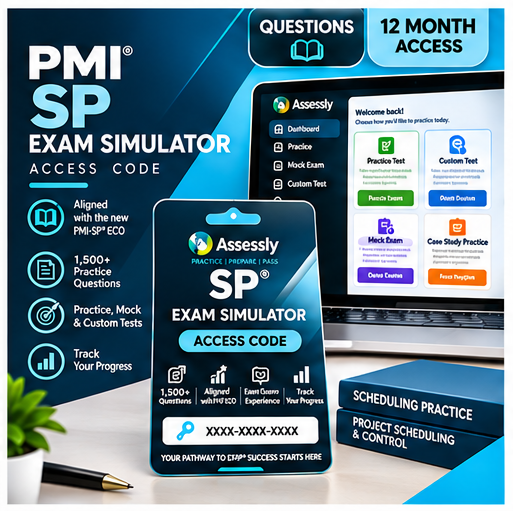
Assessly is an online PMI® Scheduling Professional (PMI-SP)® Exam Simulator designed to help you practise realistic exam questions, strengthen your project scheduling knowledge and identify the areas where you need more preparation.
With access to a comprehensive bank of 1,500+ PMI-SP practice questions, you can practise at your own pace, create targeted tests or challenge yourself under full exam simulation conditions.
What your Assessly access includes:
- 1,500+ PMI-SP practice questions covering the key domains and topics of the PMI-SP examination
- Practice Tests with 10, 20, 50 or 80-question options
- Custom Tests tailored to your selected domains, process groups and knowledge areas
- Full PMI-SP Exam Simulations designed to recreate realistic exam conditions
- Detailed answer explanations to help you understand why an answer is correct
- Progress tracking to help identify strengths and areas requiring more practice
- Randomised question selection for varied practice sessions
- Exam-aligned preparation covering schedule strategy, schedule planning and development, schedule monitoring and control, schedule closeout and stakeholder communications management
How it works
After purchasing, you will receive a unique Assessly access code. Use your code when registering for Assessly to activate your access to the PMI-SP Exam Simulator.
Digital Product
Assessly is an online product. No physical product will be shipped.
Online & Mobile Access
Access Assessly through your web browser. Supported practice features are also available through the Assessly mobile experience.
Prepare. Practise. Improve.
Build confidence through repeated practice, realistic scheduling scenarios and detailed feedback before sitting your PMI-SP examination.
What you receive
Your purchase includes a 12-month Assessly subscription. After successful payment, you will receive a unique Assessly access code to use when registering for the platform.
Your 12-month access period begins when your access code is activated.