Statistics let you look back at completed weeks and understand how project and resource performance developed over time.
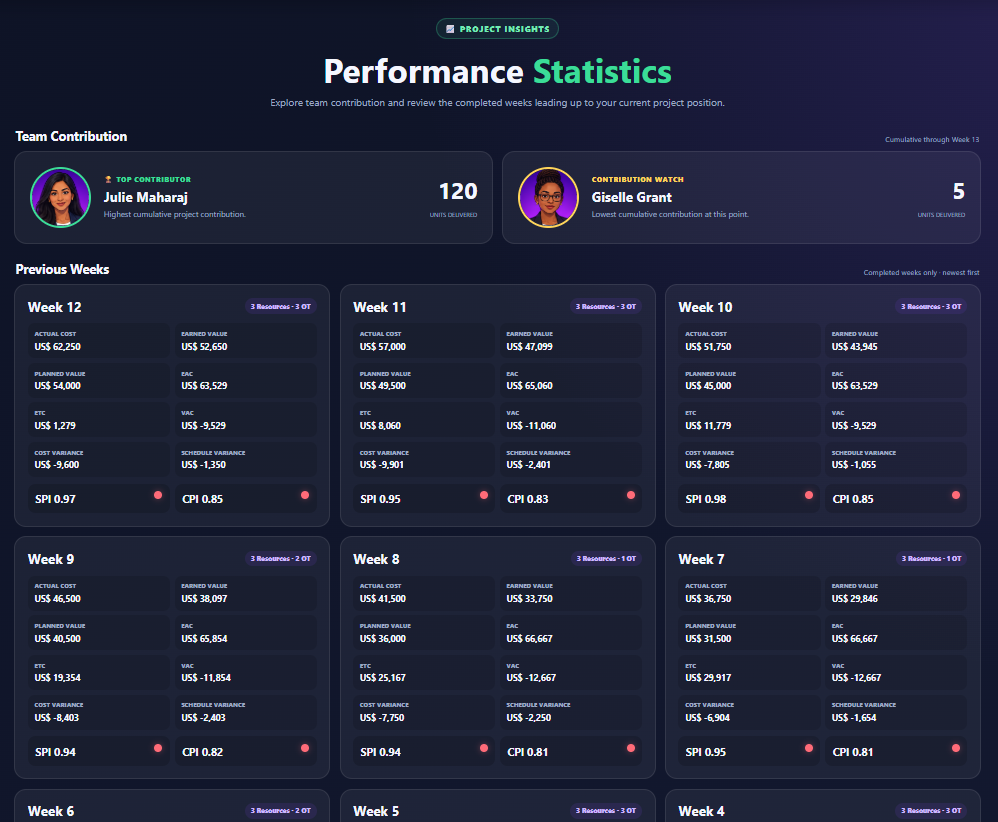
Previous week information
Use the previous-week view to compare completed periods. Current-week information should not be treated as a completed previous week until that reporting cycle has been completed.
Resource information
Resource comparisons focus on resources that were actually used. The names shown follow the names entered when the team was assembled, so the statistics remain consistent with your personalised simulation.
Ask what decisions were made before a change in performance. Did the team composition change? Was overtime introduced? Did cost rise faster than earned value? The value is in connecting the decision to the result.
Still not finding the answer to your question?
Our support team can help. Tell us what you were trying to do and, if possible, include a screenshot of what you see.